
Fast delivery within 72 Hours

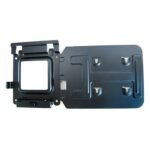
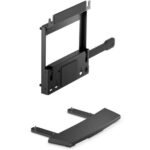
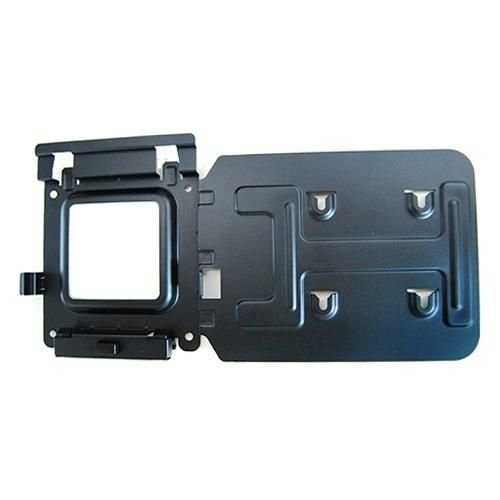
Bracket Mounting Kit

£55.44

Excl.VAT

SKU: 575-BBI Category: Brand:

50 in stock

Shipping & Delivery

  • Standard delivery

Our courier will deliver to the specified address

3-4 Days

From £9.95

  • Express delivery

All heavy items above 25kg will be charged shipping cost as per actual

1-2 Days

From £14.95

Dock Mounting Bracket Kit

Easily mount your Dell™ Dock-WD15 or Dell Thunderbolt Dock-TB15 behind most Dell UltraSharp or P-Series monitors or to a wall, desk, or any flat surface with the Dell Docking Station Mounting Kit. Help create a clutter-free work environment at your desk or workstation by mounting your Dell Dock-WD15 or Dell Thunderbolt Dock-TB15 behind your compatible monitor or under your desk.

The kit comes with everything that you need to mount your Dell Dock-WD15 or Dell Thunderbolt Dock-TB15 behind a compatible Dell UltraSharp or P-Series monitor . The bracket easily attaches with four included mounting screws to the VESA mounting holes (100mm) underneath the monitor stand connector. Stand should be removed to attach the bracket, and then reattached to the bracket once the bracket is secured to the monitor. Mounting position for the Dell Dock-WD15 or Dell Thunderbolt Dock-TB15 will be offset to the side of the stand. Two included mounting screws are screwed into the bottom of your dock, which then allows it to slide easily onto the mounting bracket. It can easily be removed when needed. The kit can also be used to mount your Dell Dock-WD15 or Dell Thunderbolt Dock-TB15 on a wall, under a desk, or onto a table (with included mounting hardware). Two included mounting screws are screwed into the bottom of your dock, which then allows it to slide easily onto the mounting bracket. It can easily be removed when needed.
Technical details

Compatibility- Latitude 5280, - Latitude 5285 2-in-1, - Latitude 5289 2-in-1, - Latitude 5480, - Latitude 5580, - Latitude 7280, - Latitude 7480, - Precision 3520, - Precision 5520, - Precision 7520, - XPS 9365 2-in-1
Product colourBlack

Vendor information

Brand NameDell
Warranty1 Year(s)
0 reviews
0
0
0
0
0

There are no reviews yet.

Be the first to review “Bracket Mounting Kit”

Your email address will not be published. Required fields are marked *

You have to be logged in to be able to add photos to your review.

Specification

Overview

Processor

Display

RAM

Storage

Video Card

Connectivity

Features

Battery

General

Description

Dock Mounting Bracket Kit

Easily mount your Dell™ Dock-WD15 or Dell Thunderbolt Dock-TB15 behind most Dell UltraSharp or P-Series monitors or to a wall, desk, or any flat surface with the Dell Docking Station Mounting Kit. Help create a clutter-free work environment at your desk or workstation by mounting your Dell Dock-WD15 or Dell Thunderbolt Dock-TB15 behind your compatible monitor or under your desk.

The kit comes with everything that you need to mount your Dell Dock-WD15 or Dell Thunderbolt Dock-TB15 behind a compatible Dell UltraSharp or P-Series monitor . The bracket easily attaches with four included mounting screws to the VESA mounting holes (100mm) underneath the monitor stand connector. Stand should be removed to attach the bracket, and then reattached to the bracket once the bracket is secured to the monitor. Mounting position for the Dell Dock-WD15 or Dell Thunderbolt Dock-TB15 will be offset to the side of the stand. Two included mounting screws are screwed into the bottom of your dock, which then allows it to slide easily onto the mounting bracket. It can easily be removed when needed. The kit can also be used to mount your Dell Dock-WD15 or Dell Thunderbolt Dock-TB15 on a wall, under a desk, or onto a table (with included mounting hardware). Two included mounting screws are screwed into the bottom of your dock, which then allows it to slide easily onto the mounting bracket. It can easily be removed when needed.
Customer Reviews

0 reviews
0
0
0
0
0

There are no reviews yet.

Be the first to review “Bracket Mounting Kit”

Your email address will not be published. Required fields are marked *

You have to be logged in to be able to add photos to your review.